Housekeeping
In order to clear up the space by removing old assets and projects, a housekeeping periodic task should be performed.
Housekeeping of project assets is available from version 5.3.1.
Add a housekeeping periodic task
The task is the one responsible for inspecting the due assets and projects based on their delete date. It logs or emails a report about them and it deletes them.
Give to the periodic task a name, choose the registered task browser.tasks.housekeeping, keep the checkbox "enabled" checked, give it an interval or a cron time format and add the following JSON configuration:
{
"recipients": [ "admin1@mycompany.com", "admin2@mycompany.com" ],
"from_address": "medialoopster-housekeeping@mycompany.com",
"should_send_mail": true,
"really_delete": true,
"production_name": "myproduction"
}
| Name | Required | Description |
|---|---|---|
recipients | no | List of the addresses where to email the housekeeping report. The email addresses need to exist. |
from_address | no | Email address for the sender. The email address will appear as sender even if it does not exist. Default is |
should_send_mail | no | Boolean value indicating if the housekeeping should email the report instead of logging it. Default is false. |
really_delete | no | Boolean value indicating if the housekeeping should indeed delete the due assets and projects, or only email or log the report, as a "dress rehearsal". Default is false. |
production_name | yes | The affected assets and projects will be from this production only. |
Housekeeping's report and actions
The housekeeping reports the following assets and projects:
- new:
→ added since yesterday - shared with other productions:
→ to be withdrawn from sharing latest today. The housekeeping withdraws them from sharing, by deleting the corresponding production content. - to be deleted now:
→ with delete date earlier than today. The housekeeping deletes them if they are not shared with another production. - to be deleted soon:
→ with delete date today or tomorrow.
Deleting an asset
How an asset gets deleted via the housekeeping as due asset, via the management interface or via the single asset administration interface
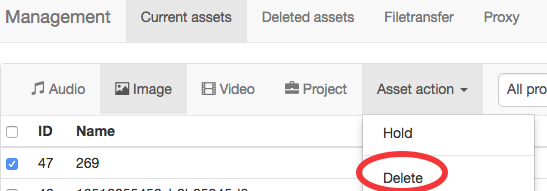
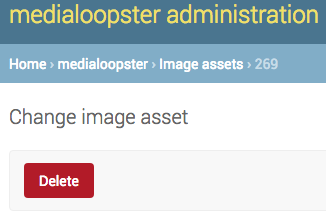
depends on its archived status:
- "is in archive" field checked ("Stored in archive"):
→ if the asset has an essence, the essence gets deleted and the field "is in production" becomes unchecked ("Not in production"). The asset and its archived file are not deleted. - "is in archive" field not checked ("Not in archive"):
→ the asset becomes deleted only if it is not shared with another production: the asset, its essence and all linked model entries get deleted (annotations, audio/video streams, technical details, shots, pseudoshots and sequences).
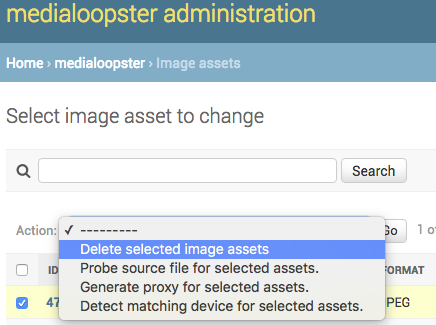
If you delete one or more assets via the assets administration interface, the assets, their essence and all linked model entries get deleted, including the asset archive details and regardless of the assets' archived/shared state. The archive files are however still not deleted. They are never deleted by medialoopster, due to the permanent nature of archives. However, a shared asset should be withdrawn first, before deleting it in this manner.
Deleting a project
In the deletion process we use the following terminology:
- non-media files: files from the project's "Files" field, that are not in the "audio/image/video assets" fields
- media assets: assets with the HighRes in the project's "Files" field, that are as well in the "audio/image/video assets" fields
How a project gets deleted, via the housekeeping as due project, via the management interface or via the single project administration interface:
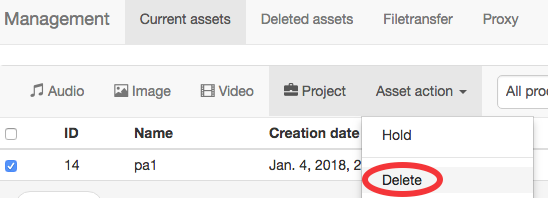
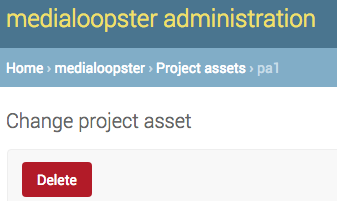
- non-media files: delete
- media assets:
- if they reside in the project bundle and are not part of other projects:
- if not archived: delete
- if archived: delete only its essence and becomes not in production
- if the project is archived: delete its essence anyway
- if they reside in the project bundle and are not part of other projects:
- project entry:
- if not archived: delete
- if archived: becomes only not in production
- bundle root: delete if it becomes empty
If you delete one or more projects via the projects administration interface:
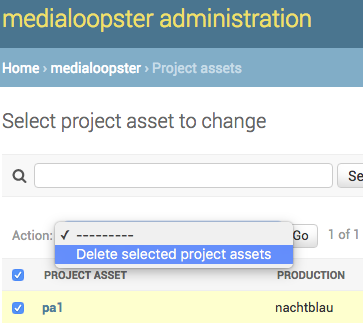
- non-media files: delete
- media assets: no delete
- project entry: delete
- bundle root: delete if it becomes empty
Via the housekeeping, all assets within a due project are deleted, even if they are not due yet (with following the above exceptions). An asset inside a project gets however deleted earlier than the project, if they are earlier due.
Deleting a shared production content
How a shared production content gets deleted, via the housekeeping as due to be withdrawn, via the management interface or via the shared production content administration interface:
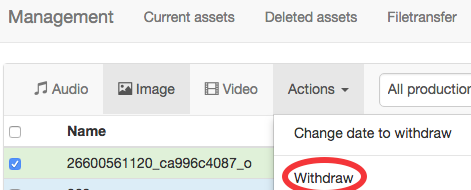
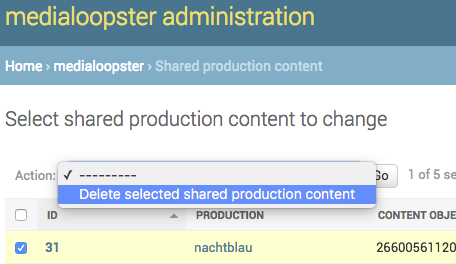
- the production content entry gets deleted
- the target high resolution and proxy files get deleted:
- if they don't have the same path as for the source production and
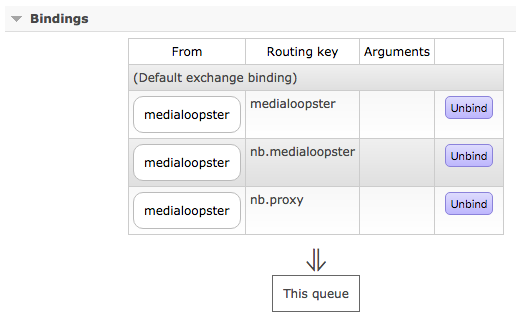
- if in your local RabbitMQ cluster admin page at the queue medialoopster http://ml-mycompany.local:15672/#/queues/%2F/medialoopster you added the binding:
- "from exchange":
medialoopster - "routing key":
<target_production_codename>.medialoopsterfor examplenb.medialoopster.
- "from exchange":
- The original asset and its files are not affected during the delete.
In case of errors during sharing, the production content is deleted with the same effects as above.